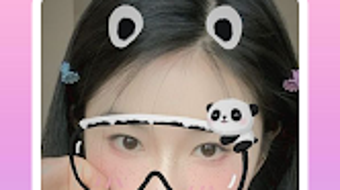

Download Picture Editor – photo editor, face camera, filters, stickers, beauty cam, selfie editing, Android app
Overview
Picture Editor – Sweet Snap Face Camera is a mobile-focused photo editing application designed for users seeking creative and professional-grade enhancements for their selfies and casual photos. Developed by HMs, the app delivers a suite of tools tailored for real-time editing, facial enhancements, and expressive visual effects. It is particularly suited for casual users, social media enthusiasts, and individuals who enjoy personalizing their images with fun and artistic elements.
The app’s primary purpose is to simplify the process of transforming ordinary photos into visually engaging content, ideal for sharing across social platforms. Real-world use cases include enhancing selfies with beauty filters, adding playful stickers like animal faces and emojis, and adjusting image settings such as brightness and contrast. While the developer did not provide additional details about the app’s background or broader product ecosystem, its focus on lightweight performance and free access suggests a user-centric design philosophy.
The app supports on-the-go editing, making it suitable for users who prioritize convenience and instant results without the need for complex workflows.
Key Features & Capabilities
- Real-time Beauty Cam Filters – Apply professional-grade beauty enhancements directly through the camera, ideal for creating polished selfies with smoother skin, brighter eyes, and refined facial features.
- Extensive Filter Library – Access a wide variety of visual filters that alter mood, tone, and style, allowing users to transform photos with a single tap.
- Interactive Sticker Effects – Insert animal face stickers, emojis, heart crowns, and other decorative elements to add humor, emotion, or creativity to images.
- Basic Image Adjustment Tools – Modify brightness, contrast, saturation, and other core image parameters to fine-tune photo quality and visual appeal.
- Quick Sharing Integration – Seamlessly export edited photos to social media platforms, enabling fast and effortless content distribution.
These features are designed to streamline the photo editing process, particularly for users who value speed and visual flair. For example, a user preparing a social media post can apply a beauty filter, add a playful animal face sticker, and share the result within minutes. The app’s free access to all editing tools removes financial barriers, making it accessible to a broad audience. While specific technical details about processing speed or filter rendering were not provided, the emphasis on lightweight design suggests optimized performance for mobile environments.
User Interface, Workflow & Performance
The user interface of Picture Editor is structured to prioritize simplicity and intuitive navigation. The main screen typically features a camera view with quick-access controls for filters, stickers, and editing tools, minimizing the number of steps required to begin editing. Navigation appears to be linear and straightforward, with options arranged in clearly labeled sections.
The workflow is optimized for mobile use, allowing users to switch between camera capture and post-capture editing with minimal disruption. The app’s lightweight nature, confirmed by its 48.5 MB installation size, suggests efficient resource management. However, exact performance details such as CPU usage, RAM consumption, or frame rate stability were not specified.
General software behavior patterns indicate that the app likely maintains smooth operation across mid-range Android devices. The developer did not provide information on crash frequency or long-term stability. Nonetheless, the app’s focus on low memory capacity and efficient design implies a commitment to consistent performance, even on older or less powerful hardware.
Compatibility & System Requirements
Picture Editor is designed for Android devices, with the current version listed as 2.0. The app has a file size of 48.5 MB, indicating a compact footprint suitable for devices with limited storage. The developer did not specify minimum Android OS versions, required processor types, or RAM thresholds.
As such, compatibility details are limited to the platform level. Users should ensure their device runs a supported version of Android, though the exact range was not disclosed. The developer did not provide additional system requirements.
It is recommended to check the app’s official listing for the most accurate compatibility information. Performance may vary depending on device specifications, but the app’s lightweight design suggests broad accessibility across a range of Android smartphones and tablets.
Pros and Cons
Pros
- Free access to all editing tools and filters
- Lightweight design with minimal storage usage (48.5 MB)
- Intuitive interface optimized for mobile users
- Wide variety of fun and expressive stickers and effects
- Real-time beauty cam and photo enhancement features
Cons
- No information on minimum system requirements or device compatibility
- Performance metrics such as CPU or RAM usage were not disclosed
- Limited details about update frequency or long-term stability
- Only available on Android, no support for iOS or desktop platforms
- Exact functionality of advanced editing tools not described
FAQ Section
Is Picture Editor available for iOS devices?
As of now, the app is only available for Android. There is no official information about an iOS version.
Is the app safe to download and use?
Picture Editor is distributed through official Android channels. Users should ensure they download from trusted sources to avoid potential security risks.
Are updates available for the app?
The app has been updated to version 2.0, indicating active development. However, the frequency of future updates was not specified.
Does Picture Editor require an internet connection?
The app functions primarily offline, allowing users to edit and save photos without an internet connection. Some features may require connectivity for sharing or updates.
Can I use Picture Editor without creating an account?
Yes, the app does not require registration or account creation. All editing features are accessible immediately upon installation.
Final Thoughts
Picture Editor – Sweet Snap Face Camera stands out as a versatile and accessible photo editing tool tailored for Android users who value creativity, speed, and ease of use. Its combination of beauty filters, expressive stickers, and basic editing controls offers a well-rounded experience for enhancing selfies and casual photos. The app’s lightweight design and free access make it an attractive option for users with limited storage or those seeking no-cost solutions.
While detailed technical specifications and compatibility details are not available, the app’s structure and feature set suggest a focus on performance and user convenience. It is particularly beneficial for social media users, content creators, and individuals who enjoy playful photo manipulation. For those looking to elevate their mobile photo editing experience with minimal friction, Picture Editor delivers a compelling package.
Download Picture Editor now.







